Pay PSA via 7 Eleven
Pay PSA via 7 Eleven: Complete Payment Guide 2026
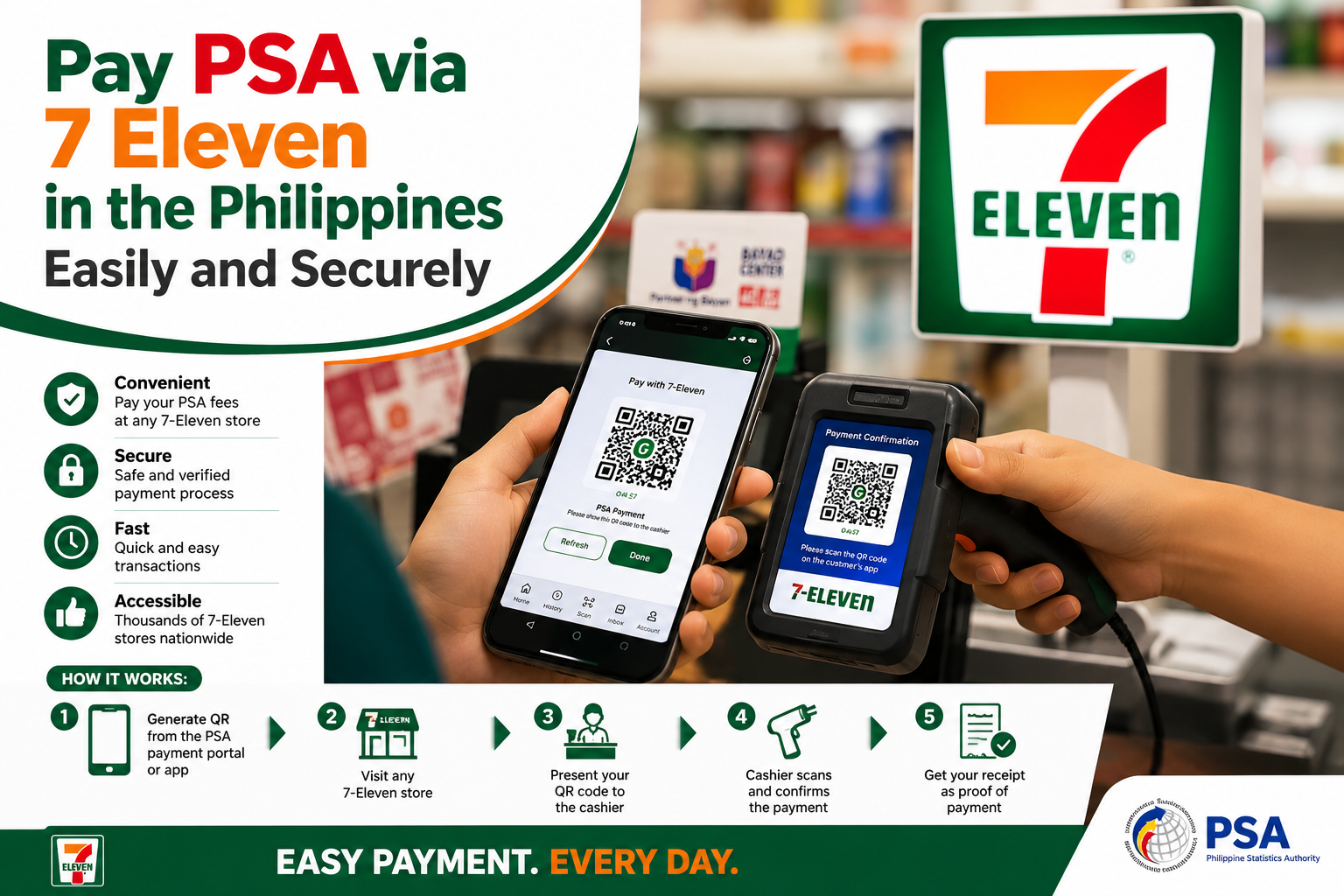
Pay PSA via 7 Eleven is a convenient payment option when 7-Eleven is available for your PSA order. For many people in the Philippines, paying at a nearby 7-Eleven can be an easy alternative to completing a payment entirely online.
This guide explains how to Pay PSA via 7-Eleven, what information you may need, how the CLiQQ payment process generally works, what to do after payment, and why you should keep your receipt.
Can You Pay PSA via 7 Eleven?
Yes, Pay PSA via 7-Eleven may be possible when 7-Eleven is provided as an available payment method for your PSA order. The payment process can involve a CLiQQ kiosk and a reference number or other order details.
Available services can change, so always follow the payment instructions connected to your particular order instead of relying on an old payment procedure.
For official information about civil registration services, you can also check the Philippine Statistics Authority Civil Registration page .
What You Need to Pay PSA via 7-Eleven
Before you leave for the store, prepare the details associated with your PSA order. Having everything ready can help prevent mistakes during the payment process.
- PSA order or reference number
- Payment amount shown with your order
- Mobile number or other requested information
- Access to a participating 7-Eleven CLiQQ kiosk
- Cash or the payment method accepted for the transaction
If you are still preparing your PSA document request, see our PSA Requirements guide before making your payment.
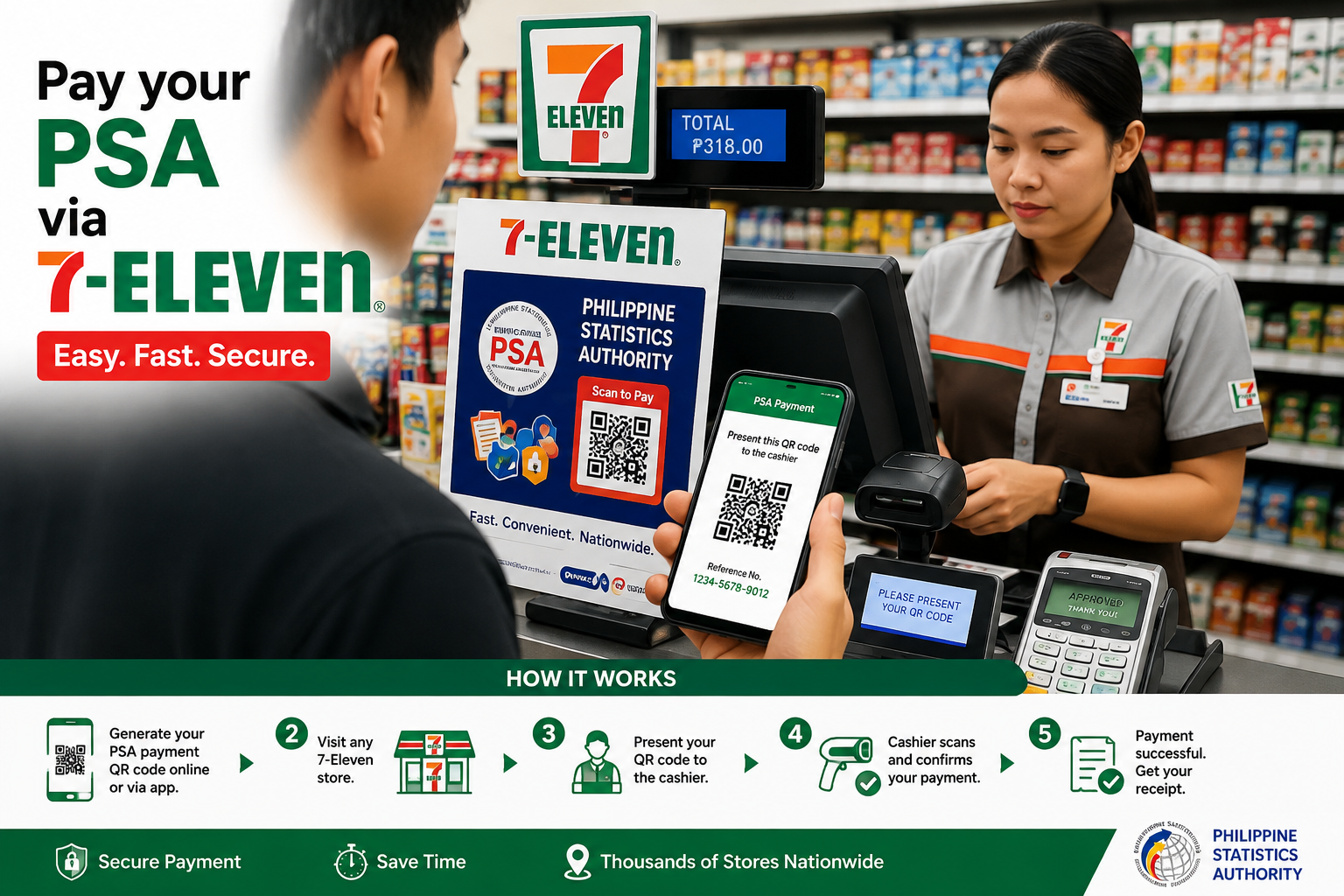
How to Pay PSA via 7 Eleven Step by Step
The exact CLiQQ screen names and available payment services may change. Use the instructions displayed on the kiosk and the payment instructions provided with your PSA order.
1. Complete Your Order
Complete your PSA document request and check that the personal and delivery information is correct.
2. Select Payment
If 7-Eleven is offered, select the payment option and save the reference or order information provided.
3. Visit 7-Eleven
Go to a participating branch and locate the CLiQQ kiosk if one is available.
4. Enter Details
Choose the appropriate payment service and enter your reference information carefully.
5. Check the Amount
Review the reference number and amount shown before confirming the transaction.
6. Keep Your Receipt
Keep the printed or electronic payment record until your PSA request has been processed.
Using CLiQQ to Pay Your PSA Order
CLiQQ kiosks are available at many 7-Eleven branches in the Philippines. The official 7-Eleven Philippines website provides information about CLiQQ kiosks and its available payment services.
Before making a payment, carefully read the instructions shown on the kiosk. If you cannot find the correct service, ask the store staff for assistance instead of selecting an unrelated payment option.
You can check the current services on the official 7-Eleven Philippines Services page .
Important Tips Before You Pay PSA via 7-Eleven
- Check your PSA order details before visiting the store.
- Write down or save your reference number.
- Check the payment amount before confirming.
- Make sure you are using the correct payment service.
- Keep your receipt after completing the transaction.
- Take a clear photo of the receipt as a backup.
- Do not make a second payment before checking the first transaction.
What If Your PSA Payment Does Not Appear?
If you have tried to Pay PSA via 7-Eleven but your payment does not appear in your order status, do not immediately pay again. First check your receipt, reference number and payment details.
- Check the receipt or payment confirmation.
- Confirm that the reference number is correct.
- Check the amount that was paid.
- Keep the payment record safely.
- Check your order status again after allowing reasonable processing time.
- Contact the relevant payment or PSA service if the issue continues.
Why Should You Keep the 7-Eleven Receipt?
A receipt provides useful transaction information if you later need to check a payment. It can contain details such as the date, amount, reference information and store transaction details.
Keep These Details
- Payment receipt
- Order reference number
- Payment date
- Amount paid
- Relevant order confirmation
PSA Birth Certificate Payment
If you are requesting a birth certificate, check your application details carefully before payment. Our PSA Birth Certificate guide provides additional information about the document request.
Check PSA Fees Before Making a Payment
Knowing the expected amount before you make a payment can help you identify an incorrect amount. Read our PSA Fees guide for more information.
Other PSA Payment Options
7-Eleven is only one possible payment method when it is offered for your order. If another option is more convenient for you, see our PSA Payment Options guide .
PSA Appointment and Login Guides
If you need to manage an online PSA request, you can also review our PSA Login guide before continuing with your application.
For National ID-related appointment information, see our PSA Appointment for National ID guide .
Frequently Asked Questions
How can I Pay PSA via 7-Eleven?
If 7-Eleven is available as a payment method for your order, follow the instructions provided with your order, use the appropriate CLiQQ service, enter the required details and complete the payment at the store.
What do I need to Pay PSA via 7-Eleven?
You generally need your PSA order or reference number, payment amount and any other information requested by the payment instructions.
Can I use any 7-Eleven branch?
Available services can vary by branch. Check the current payment instructions and ask store staff if you are unsure whether the required service is available.
Should I keep my 7-Eleven payment receipt?
Yes. Keep your receipt until your PSA payment and order have been properly processed. A photo backup is also recommended.
What should I do if my PSA payment is not showing?
Check your receipt and reference number first. Avoid making another payment until you have verified the status of the original transaction.
Conclusion
Pay PSA via 7-Eleven can be a convenient choice when 7-Eleven is listed as an available payment method for your PSA order. Prepare your reference number, check the amount carefully, follow the current CLiQQ instructions and keep your receipt after payment.
If there is a delay or payment problem, use your receipt and reference details when checking the transaction. Always follow the latest payment instructions connected to your specific PSA order.
If you are looking for a simple way to Pay PSA via 7 Eleven, make sure you follow the payment instructions provided with your PSA order. Always verify your reference number, payment amount, and transaction status before leaving the 7-Eleven branch.
Pay PSA via 7 Eleven can be convenient when this option is available for your transaction. Keep your receipt and order details until your PSA request has been successfully processed.